Click a code to copy it. The previews show TikTok’s custom artwork, listed in Emojipedia’s TikTok reference.














































How to use TikTok emoji codes
- Copy a code with both square brackets, such as
[smile]. - In the TikTok mobile app, open a post’s comments and paste the code into your comment.
- Send the comment to use the matching custom face.
If the code remains text, check its spelling and brackets. Not every text field supports these custom faces.
A closer look at five expressions
Smile — [smile]
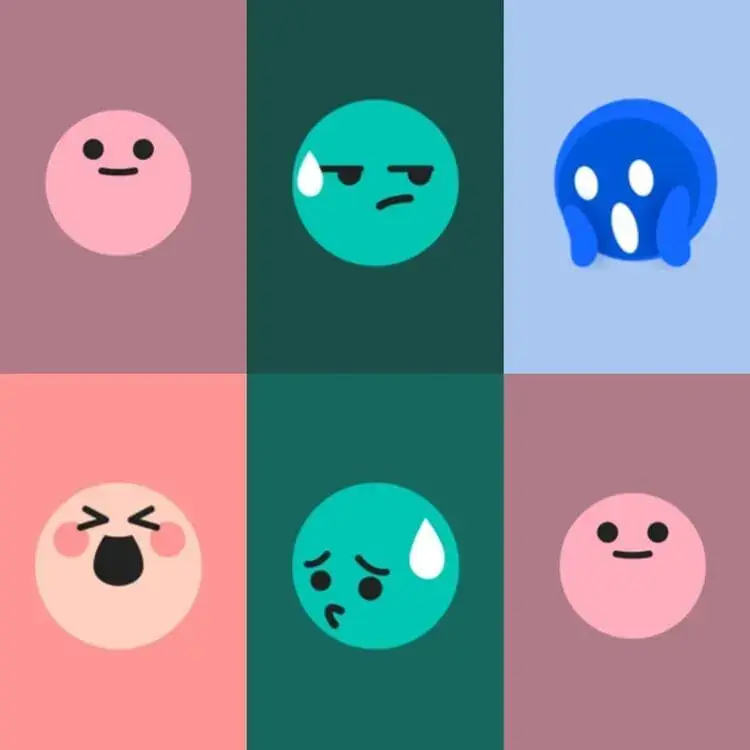
A pastel-pink face with open eyes and a small smile.
Happy — [happy]
The eyes squeeze shut and the mouth opens wide. Try “That’s great news! [happy]” when a small smile feels too quiet.
Embarrassed — [embarrassed]
The green face has lowered eyes and a large drop of sweat. It can accompany an awkward moment or a small mistake: “Wrong chat [embarrassed]”.
Scream — [scream]
Hands press against the blue face around a wide-open mouth. Two possible uses:
- A frightened reaction to a scary clip.
- An exaggerated response to a surprise.
Speechless — [speechless]
When “I have no words” is the reply, [speechless] gives you a face to go with it.
Related: TikTok profile picture ideas · TikTok username ideas.