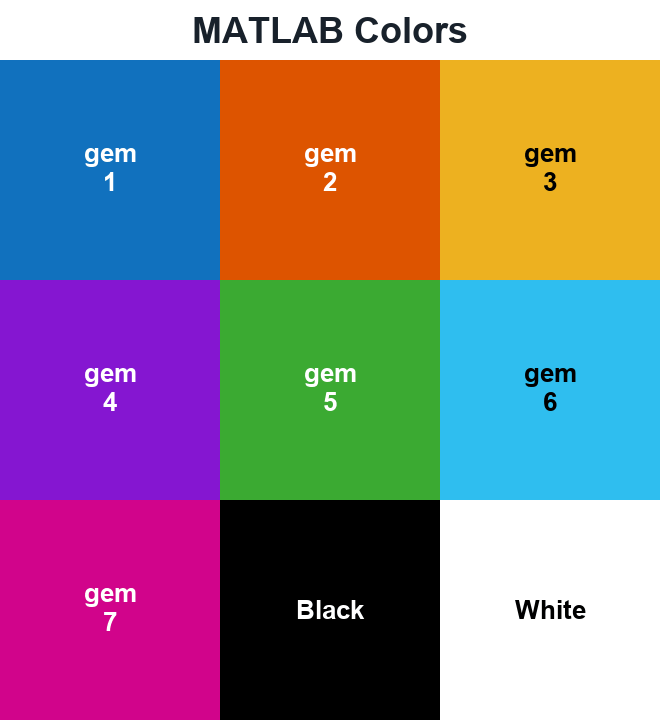
MATLAB Colors
MATLAB’s blue short code and its first automatic plot color are different choices.
Eight named colors and short codes
RGB triplets below use MATLAB’s 0–1 scale.
red
Short code: r
[1 0 0]
green
Short code: g
[0 1 0]
blue
Short code: b
[0 0 1]
cyan
Short code: c
[0 1 1]
magenta
Short code: m
[1 0 1]
yellow
Short code: y
[1 1 0]
black
Short code: k
[0 0 0]
white
Short code: w
[1 1 1]
gem palette: R2025a and later
The seven positions below use the revised gem palette for light-theme plots. The dark-theme default is glow; earlier gem values differ. MathWorks documents both the named colors and the palette revision.
gem 1
Palette position: 1
[0.066 0.443 0.745]
gem 2
Palette position: 2
[0.866 0.329 0]
gem 3
Palette position: 3
[0.929 0.694 0.125]
gem 4
Palette position: 4
[0.521 0.086 0.819]
gem 5
Palette position: 5
[0.231 0.666 0.196]
gem 6
Palette position: 6
[0.184 0.745 0.937]
gem 7
Palette position: 7
[0.819 0.015 0.545]
Plot seven series
This example selects gem explicitly, so it does not depend on the active theme. Use it in R2025a or later for the colors shown above.
x = (0:0.1:2*pi)';
y = sin(x + (0:6)*pi/7);
figure
colororder(orderedcolors("gem"))
plot(x,y,"LineWidth",1.5)
xlabel("x")
ylabel("sin(x + phase)")
grid on